
Responsive Template Guide
Family Portrait
Personalized anthropomorphic 3D watercolor family portrait — choose the species, add adults and children, and customise each member's colour and accessory.
At a glance
Everything you need to know
12 species
Grizzly Bear, Black Bear, Highland Cow, Bison, Fox, Badger, Deer, Hedgehog, Raccoon, Beaver, Moose, Custom.
Per-member editing
Add adults and children separately. Each member gets its own colour, accessory, and hat.
13 accessories
Plaid jacket, knitted scarf, knit sweater, peacoat, cardigan, quilted vest, turtleneck, flannel, denim jacket…
8 hats
Santa hat, fedora, top hat, beanie, baseball cap, cowboy hat, elf hat — or none.
Pets too
Add family pets (Golden retriever, Lab, Frenchie, Dachshund, Tabby, Calico, Bunny, Bird) and assign who holds them.
29 backgrounds
Holiday & winter, nature & outdoor, studio & clean, and whimsical — grouped for easy browsing.
Start here
Pick a species
The species defines the look of every family member — they're all anthropomorphic animals of the chosen species, rendered in a warm 3D-watercolor style. Each option has a live thumbnail preview.
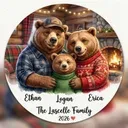
Grizzly Bear
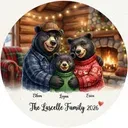
Black Bear
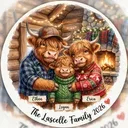
Highland Cow
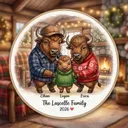
Bison / Buffalo
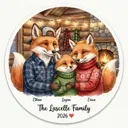
Fox

Badger
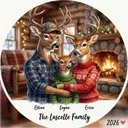
Deer / Elk
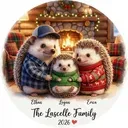
Hedgehog
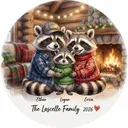
Raccoon
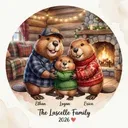
Beaver
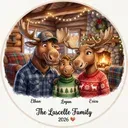
Moose
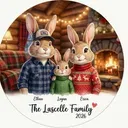
Custom
12 species
3D-watercolor anthropomorphic
Each one customised
Family members
Add as many adults and children as you like. Each member is fully customisable — give them a name, a colour, an accessory, and a hat. Adults render on the outer edges, children in the center.
Accessories (12):
Hats (8):
Per-member editing
Adults, children, pets
The extras
Pets, headings & symbols
Round out the portrait with the family pets, a heading, a decorative symbol, and a year toggle. In circle aspect ratio, an extra option unlocks: the family name in arc text along the circle edge.
Pet presets:
Headings:
Symbols:
Pets + headings + symbols
Circle unlocks arc names
Walkthrough
How to use Family Portrait
Pick a species
One of 12 anthropomorphic species — the look every member shares.
Add family members
Add adults and children. Name each, assign a colour, accessory, and hat.
Add pets
Add family pets (8 presets) and assign which member holds each.
Set heading & symbol
Pick a heading preset (or custom), a decorative symbol, and toggle the year.
Pick background + palette + ratio
29 backgrounds across 4 groups, 4 palettes, standard ratios (circle unlocks arc names).
Generate
Hit Generate. Download your family portrait, or tweak and regenerate.
Tips
Good to know
Per-member editing. Every adult and child is its own entry with its own colour, accessory, and hat. Adults render on the outer edges, children in the center.
Circle aspect ratio unlocks arc names. Switch to circle and an option appears to render the family name in arc text along the circle edge (top or bottom).
Pets are assignable. Each pet can be “held by” a specific member, so the composition places them naturally.
No reference photo. Family Portrait is fully text/preset driven — pick species, colours, and accessories instead of uploading photos. Credit cost is the same as a standard generation.
Ready to create?
Open Family Portrait in the Responsive Templates designer and build your design in minutes.