
Two New Templates — and a Star for Your Gallery
A dress-up goose in her cowgirl mama era, a packed cinema audience with you in the front row — plus a gallery that only keeps what you star.
Two more Responsive Templates have landed since our last roundup — one adorable, one cinematic — and Your Gallery got a long-requested upgrade: you decide what gets saved. Here's the tour.
Animal Dress-Up Poster
A cheerful, full-body cartoon animal standing front and center, dressed to the nines, under a sassy banner. The default is the cowgirl mama era goose: soft white feathers, a sparkly pink cowboy hat with a leopard print band and bow, a pearl necklace, pink cowboy boots, and a leopard cup with a pink straw — surrounded by flowers, gold stars, and sparkles on a clean white background, with "IN MY COWGIRL MAMA ERA" scripted in decorative rope.
Five one-tap themes set the whole look — Cowgirl Mama Era, Brunch Babe Era (floppy sun hat, iced coffee), Birthday Girl Era (a sheep in a party hat with a milkshake), Cozy Farm Era (a cow in a daisy crown and bandana), and Sassy Safari Era (a flamingo in a straw cowboy hat). Ten species chips and seven colourings underneath, a full outfit builder (hat, neckwear, footwear, and a held item), a multi-select scatter row, and a banner builder with eight preset phrases and seven text styles.
Perfect for: gag gifts, nursery prints, group badges, and anyone entering a new era.
Movie Night Poster
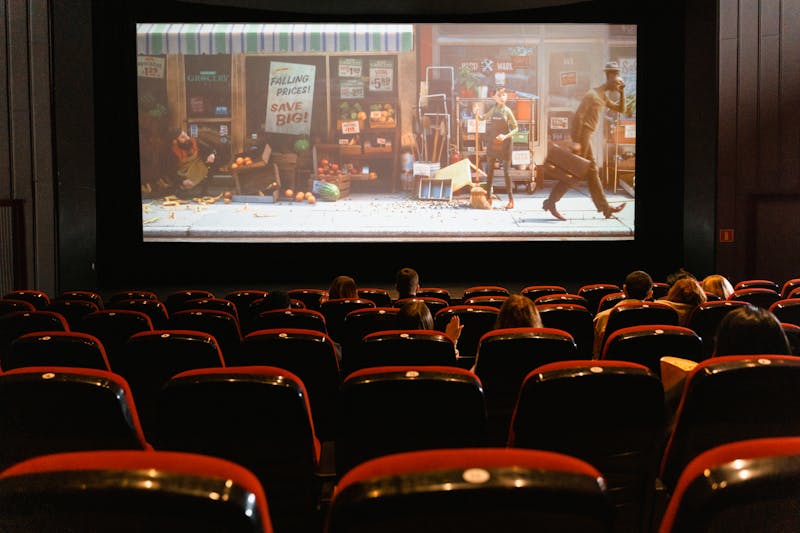
A wide, slightly elevated shot of thirteen moviegoers in red plush cinema seats, faces lit by a strong blue screen glow — arranged in three rows, with a green energy drink beside one woman, a tray of jello shots up front, and a Ghostface mask sitting perfectly still in the back row. Photorealistic with a slightly stylized, cinematic feel.
The star feature is you: upload one photo and pick its image role. Character in Scene seats you front-row center, your likeness recreated in the crowd — the first cast member becomes you, and their hair comes from your picture. Or make your photo the whole audience with Center Subject, or just borrow its mood with Style Reference. Underneath, a multi-subject cast builder — add as many moviegoers as you like, each with row, gender, hair, race/ethnicity, facial hair, pose, attire, and prop chips. The theater is customizable too: crowd size, the masked figure (six masks, or off), seat colours, and the screen glow. An optional title and tagline round it out in Movie-Poster styles.
Perfect for: watch-party posters, group gifts, fandom in-jokes, and horror fans with a sense of humor.
Your Gallery now runs on stars
New generations no longer pile into Your Gallery automatically. Instead, every result screen — Generate, Responsive Templates, Image Refine — shows a Save to Your Gallery star. Tap it and the image is starred; tap the star on any gallery card to un-star it. Nothing is ever lost: every generation is still kept safely behind the scenes, and the All generations filter in the Gallery shows the full history.
How to try them
Head to Responsive Templates and look for the two newest cards at the top of the grid. As always, every field is a quick-select chip, a generation costs the same as a standard credit — and now, only the images you star make it to the gallery.
Ready to try it yourself?
Start creating professional AI designs in minutes — no experience required.
Get Started Free